
Keeping GIF file size down
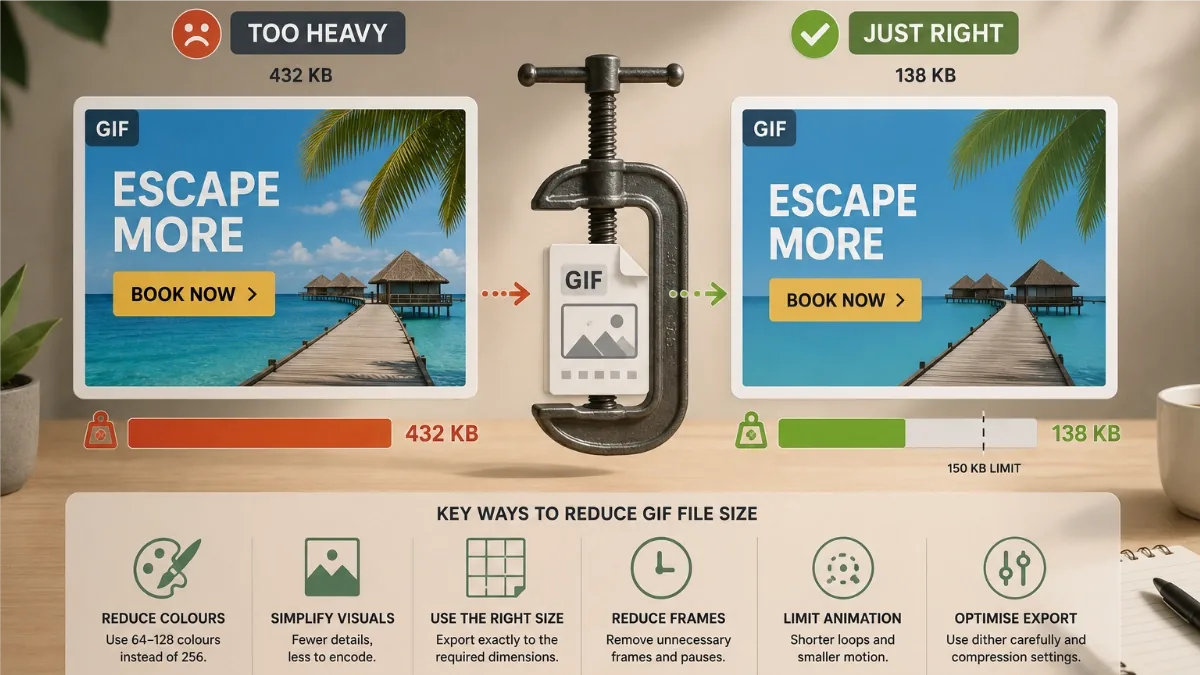
The GIF is the cockroach of ad formats: ancient, unglamorous and accepted absolutely everywhere. Its one flaw is weight. A design that looks feather-light on the canvas can export as a GIF several times over the 150 KB that display networks expect. Here is why that happens, and the levers that bring it back down.
Why GIFs balloon
A GIF stores each frame as indexed pixels drawn from a palette of at most 256 colours, using a compression scheme from 1987 that loves flat runs of identical pixels and hates variety. Two things follow. First, anything with thousands of subtle shades (photos, gradients, soft shadows) has to be approximated with a small palette, and the approximation itself adds noisy pixels that compress badly. Second, every pixel that changes between frames costs bytes. A five-frame ad where the whole background shifts is paying for the full canvas five times; one where only a headline changes pays for a headline.
The levers, in order of impact
- Fewer frames. The bluntest and most effective cut. Every frame is more pixels to store, so a three-frame ad will almost always be lighter than a six-frame one. If you are over budget, ask which frame is not earning its bytes. (This is also why the default Cut transition exports lean: Smooth tweening generates extra in-between frames.)
- Flat colour instead of photos and gradients. Solid backgrounds, bold shapes and crisp text are what GIF compression was born for. A photo background can double or triple a file on its own. If you need a photo, keep it to one frame, or place a flat mask or shade overlay across part of it so less of the canvas is busy pixels.
- Smaller dimensions. File size scales with area. A 300×600 half-page has four times the pixels of a 300×250 rectangle, and exporting at 1x rather than 2x quarters the pixel count again. For GIF banners, 1x is the sensible default.
- Fewer colours. The export's colour count control runs from 256 down to 16, plus a best-quality per-frame palette mode. For flat designs, 64 or even 32 colours often looks identical to the full palette and saves real weight. Nudge it down until you see banding, then go back one step.
- Dithering: off for flat art, on for photos. Dithering scatters pixels of the palette colours to fake in-between shades. On photographs it hides banding beautifully; on flat art it just sprays noise that inflates the file. The export has a simple toggle, so match it to your artwork.
- Shorter durations. Frame durations do not add pixels, but a tighter ad often lets you drop a frame entirely, and networks cap total animation length anyway.
Let the target-size control do the fiddling
If you would rather not iterate by hand, the GIF export includes a target file size control: give it a budget in KB and it tunes the export settings, colour depth in particular, toward that number automatically. Be clear about what it is: it is an automatic version of the same trade-offs above, not magic. It cannot make a six-frame photographic 970×250 fit in 40 KB without visible quality loss. It shines when your design is already in sensible territory and you want it nudged neatly under a limit.
The 150 KB rule, and why headroom matters
Google's display reference limit is 150 KB, and many other networks cluster around similar figures. Do not aim for 149 KB. Specs get revised, some ad servers measure slightly differently, and a last-minute copy change ("legal needs a disclaimer on frame three") can add weight. Landing around 120 to 130 KB gives every version of your ad room to breathe. Heavier ads also load later, and a banner that appears after the user has scrolled past is a banner that ran for nobody.
When to stop squeezing
Sometimes the honest answer is that GIF is the wrong container. If your design genuinely needs photography, gradients and more than a handful of frames, switch format rather than butchering the creative:
- HTML5 package for ad servers: text, shapes and images travel as real assets instead of flattened pixels, so the same design is usually far lighter and stays sharp.
- MP4 for social platforms: video compression eats gradients and photos for breakfast, and feed placements do not impose banner-style KB limits.
- Animated WebP for your own site: 24-bit colour and small files, just not accepted by most ad networks.
Related: GIF weight limits explained · Exporting ads for every platform